



HOW THE QUIZ WORKS:
Clicking the ‘randomize’ button situated above the reference table generates a new table whereby the function descriptions, function syntaxes, and function return values are randomized. The quiz involves matching the function descriptions, function syntaxes, and function return values to the correct function name. Information relating to the randomization of table cells will be displayed for three seconds, before disappearing.
On a desktop computer, table elements are selected by left-clicking the desired table cell and holding the left click in the mouse down position for one second before releasing the left click. The text inside the table cell will turn red to indicate that the one-second mouse left-click has successfully selected a table cell. To then swap the selected table cell with the target table cell, simply repeat the one-second left mouse-click process on the target cell; the table cells will swap position. To de-select a table cell, simply repeat the one-second left mouse-click process on the original table cell.
To select a table element on a touchscreen device (mobile, tablet), simply touch the desired table cell and maintain the touch for one second before removing your finger from the screen. The text inside the table cell will turn red to indicate that the one-second touch has successfully selected a table cell. To then swap the selected table cell with the target table cell, simply repeat the one-second touch process on the target cell; the table cells will swap position. To de-select a table cell, simply repeat the one-second touch process on the original table cell.
Normal touchscreen scrolling behaviour is exhibited by the cells with a light green background; cells without a light green background will not respond to normal touchscreen scrolling. The table is positioned in such a way that the user can also initiate touchscreen scrolling by swiping to the right or left of the table.
When a row consists of the correct function name, function description, function syntax, and function return value, the background colour of the row will change from ‘transparent’ to ‘khaki’; this provides visual feedback that the row is complete.
Once the entire table is complete, a paragraph of feedback will congratulate the user and provide the following information: date and time of quiz commencement; date and time of quiz completion; and the length of time it took the user to complete the quiz.
VIEWPORT OPTIONS:



PURPOSE:
This webpage serves two purposes:
- It provides a reference table for the PHP MySQLi functions, with information extracted and condensed from w3schools.com and php.net.
- It enables users to complete a quiz related to the PHP MySQLi functions.
USAGE:
For each PHP MySQLi function there are four table cells of information: the function name; the function description; the function syntax; and the function return value. There are three layouts available – ‘mobile‘, ‘tablet‘, and ‘desktop‘.
Click the relevant button below to display the PHP MySQLi functions reference table, sized appropriately for the desired viewport. A ‘RANDOMIZE‘ button appears above the reference table once the viewport is selected; clicking this button facilitates the commencement of a quiz.
Click the ‘RANDOMIZE‘ button to randomize the functional descriptions, the functional syntaxes, and the functional return information.
| FUNCTION NAME | FUNCTION DESCRIPTION | FUNCTION SYNTAX | FUNCTION RETURN VALUE |
|---|---|---|---|
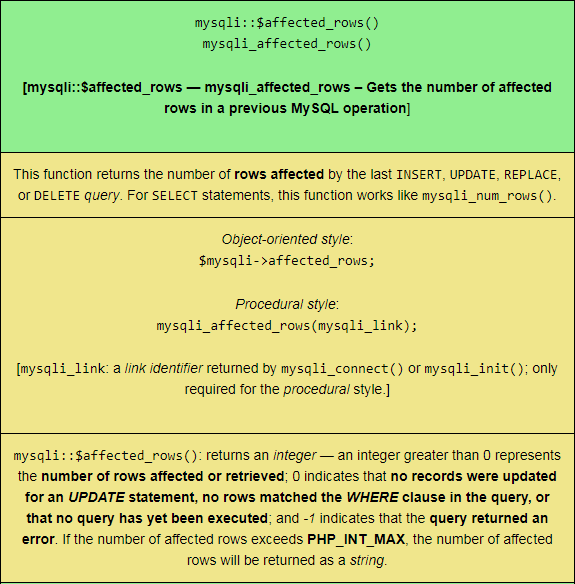
mysqli::$affected_rows()mysqli_affected_rows()
[mysqli::$affected_rows — mysqli_affected_rows – Gets the number of affected rows in a previous MySQL operation] |
This function returns the number of rows affected by the last INSERT, UPDATE, REPLACE, or DELETE query. For SELECT statements, this function works like mysqli_num_rows(). |
Object-oriented style:$mysqli->affected_rows;
Procedural style: [mysqli_link: a link identifier returned by |
mysqli::$affected_rows(): returns an integer — an integer greater than 0 represents the number of rows affected or retrieved; 0 indicates that no records were updated for an UPDATE statement, no rows matched the WHERE clause in the query, or that no query has yet been executed; and -1 indicates that the query returned an error. If the number of affected rows exceeds PHP_INT_MAX, the number of affected rows will be returned as a string. |
mysqli::autocommit()mysqli_autocommit()
[mysqli::autocommit — mysqli_autocommit – Turns on or off auto-committing database modifications] |
This function turns on or off auto-commit mode on queries for the database connection. The current state of autocommit can be determined by using the SQL command SELECT @@autocommit. This function does not work for non-transactional tables like MyISAM and ISAM. |
Object-oriented style:$mysqli->autocommit(mode);
Procedural style: [mysqli_link: a link identifier returned by |
mysqli::autocommit(): returns TRUE on success; FALSE on failure. |
mysqli::begin_transaction()mysqli_begin_transaction()
[mysqli::begin_transaction — mysqli_begin_transaction – Starts a transaction] |
This function begins a MySQL transaction. It requires the InnoDB engine for successful operation. | Object-oriented style:$mysqli->begin_transaction(flags [optional parameter, with a default value of 0], name [optional parameter]);
Procedural style: [mysqli_link: a link identifier returned by |
mysqli::begin_transaction(): returns TRUE on success; FALSE on failure. |
mysqli::change_user()mysqli_change_user()
[mysqli::change_user — mysqli_change_user – Changes the user of the specified database connection] |
This function sets the current database and changes the user of the specified database connection. If an invalid username or password is specified – or if the user does not have sufficient permissions to access the specified database – then authorization will fail and the current user authentication will remain. This command will always cause the database connection to behave as if it were an entirely new database connection, regardless of whether the operation was successfully completed: any active transactions are rolled back; any temporary tables are closed; and all locked tables are unlocked. |
Object-oriented style:$mysqli->change_user(user, password, database);
Procedural style: [mysqli_link: a link identifier returned by |
mysqli::change_user(): returns TRUE on success; FALSE on failure. |
mysqli::character_set_name()mysqli_character_set_name()
[mysqli::character_set_name — mysqli_character_set_name – Returns the default character set for the database connection] |
This function returns the current character set for the database connection. | Object-oriented style:$mysqli->character_set_name();
Procedural style: [mysqli_link: a link identifier returned by |
mysqli::character_set_name(): returns the default character set for the current connection. |
mysqli::close()mysqli_close()
[mysqli::close — mysqli_close – Closes a previously opened database connection] |
This function closes a previously opened database connection. Explicitly closing open database connections and freeing result sets is optional; when a PHP script finishes execution, open non-persistent MySQL connections and result sets are automatically destroyed. However, doing so is recommended, since performance-improving resources are immediately returned to PHP and MySQL. This function will not close persistent connections. | Object-oriented style:$mysqli->close();
Procedural style: [mysqli_link: a link identifier returned by |
mysqli::close(): returns TRUE on success; FALSE on failure. |
mysqli::commit()mysqli_commit()
[mysqli::commit — mysqli_commit – Commits the current transaction] |
This function commits the current transaction for the specified database connection. | Object-oriented style:$mysqli->commit(flags [optional parameter with a default value of 0], name [optional parameter]);
Procedural style: [mysqli_link: a link identifier returned by |
mysqli::commit(): returns TRUE on success; FALSE on failure. |
mysqli::$connect_errno()mysqli_connect_errno()
[mysqli::$connect_errno — mysqli_connect_errno() – Returns the error code from last connect call] |
This function returns the last error code [‘number’/‘no’] from the last call to mysqli_connect(). The MySQL header file errmsg.h lists client error message numbers; the MySQL file mysqld_error.h lists server error message numbers. The file Docs/mysqld_error.txt in the MySQL source distribution details a complete list of error message numbers and error messages. |
Object-oriented style:$mysqli->connect_errno;
Procedural style: |
mysqli::$connect_errno: returns an error code value for the last call to mysqli_connect(). A return value of 0 means that no error occurred. |
mysqli::$connect_error()mysqli_connect_error()
[mysqli::$connect_error — mysqli_connect_error – Returns a string description of the last connect error] |
This function returns the last error message string from the last call to mysqli_connect(). |
Object-oriented style:$mysqli->connect_error;
Procedural style: [The object-oriented syntax works as of PHP 5.2.9+; use the procedural style for compatibility with earlier versions of PHP.] |
mysqli::$connect_error(): returns a string description of the error. NULL is returned if no error occurred. |
mysqli::__construct()mysqli::connect()mysqli_connect()
[mysqli::__construct — mysqli::connect — mysqli_connect – Open a new connection to the MySQL server] |
This function opens a connection to the MySQL server. The function parameters can be described as follows: host: either a host name or an IP address — the function assumes the local host if the NULL value or the string “localhost” is passed — pipes will be used in preference to the TCP/IP protocol where practicable — a persistent connection is created by prefixing host with p: — connections from the connection pool automatically invoke mysqli_change_user(); username: specifies the MySQL user name; password: the MySQL server attempts to authenticate the user against those user records which have no password if password is not provided/NULL — thus, one username can be used with varying permissions, depending on if password is provided or not; database: specifies the default database to be used when performing queries, if provided; port: specifies the port number to attempt to connect to the MySQL server, if provided; and socket: specifies the socket or named pipe that should be used — how the connection is made to the MySQL server is determined by the host parameter. |
Object-oriented style – flavour one:mysqli::__construct(host [optional parameter, with a default value of ini_get(“mysqli.default_host”)], username [optional parameter, with a default value of ini_get(“mysqli.default_user”)], password [optional parameter, with a default value of ini_get(“mysqli.default_pw”)], database [optional parameter, with a default value of “”], port [optional parameter, with a default value of ini_get(“mysqli.default_port”)], socket [optional parameter, with a default value of ini_get(“mysqli.default_socket”)]);
Object-oriented style – flavour two: Procedural style: |
mysqli::__construct(): returns an object representing a connection to the MySQL server. |