



HOW THE QUIZ WORKS:
Clicking the ‘randomize’ button situated above the reference table generates a new table whereby the function descriptions, function syntaxes, and function return values are randomized. The quiz involves matching the function descriptions, function syntaxes, and function return values to the correct function name. Information relating to the randomization of table cells will be displayed for three seconds, before disappearing.
On a desktop computer, table elements are selected by left-clicking the desired table cell and holding the left click in the mouse down position for one second before releasing the left click. The text inside the table cell will turn red to indicate that the one-second mouse left-click has successfully selected a table cell. To then swap the selected table cell with the target table cell, simply repeat the one-second left mouse-click process on the target cell; the table cells will swap position. To de-select a table cell, simply repeat the one-second left mouse-click process on the original table cell.
To select a table element on a touchscreen device (mobile, tablet), simply touch the desired table cell and maintain the touch for one second before removing your finger from the screen. The text inside the table cell will turn red to indicate that the one-second touch has successfully selected a table cell. To then swap the selected table cell with the target table cell, simply repeat the one-second touch process on the target cell; the table cells will swap position. To de-select a table cell, simply repeat the one-second touch process on the original table cell.
Normal touchscreen scrolling behaviour is exhibited by the cells with a light green background; cells without a light green background will not respond to normal touchscreen scrolling. The table is positioned in such a way that the user can also initiate touchscreen scrolling by swiping to the right or left of the table.
When a row consists of the correct function name, function description, function syntax, and function return value, the background colour of the row will change from ‘transparent’ to ‘khaki’; this provides visual feedback that the row is complete.
Once the entire table is complete, a paragraph of feedback will congratulate the user and provide the following information: date and time of quiz commencement; date and time of quiz completion; and the length of time it took the user to complete the quiz.
VIEWPORT OPTIONS:



PURPOSE:
This webpage serves two purposes:
- It provides a reference table for the PHP string functions, with information extracted and condensed from w3schools.com and php.net.
- It enables users to complete a quiz related to the PHP string functions.
USAGE:
For each string function there are four table cells of information: the function name; the function description; the function syntax; and the function return value. There are three layouts available – ‘mobile‘, ‘tablet‘, and ‘desktop‘.
Click the relevant button below to display the PHP string functions reference table, sized appropriately for the desired viewport. A ‘RANDOMIZE‘ button appears above the reference table once the viewport is selected; clicking this button facilitates the commencement of a quiz.
Click the ‘RANDOMIZE‘ button to randomize the functional descriptions, the functional syntaxes, and the functional return information.
| FUNCTION NAME | FUNCTION DESCRIPTION | FUNCTION SYNTAX | FUNCTION RETURN VALUE |
|---|---|---|---|
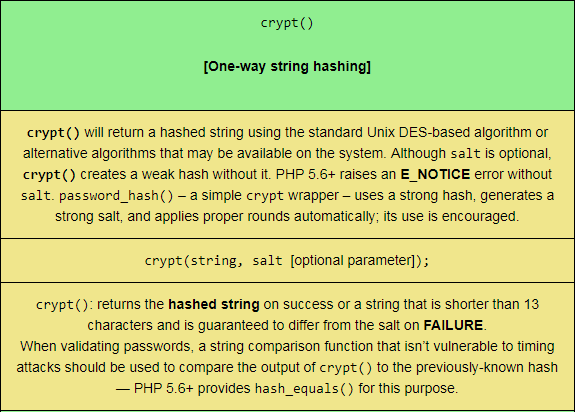
crypt()
[One-way string hashing] |
crypt() will return a hashed string using the standard Unix DES-based algorithm or alternative algorithms that may be available on the system. Although salt is optional, crypt() creates a weak hash without it. PHP 5.6+ raises an E_NOTICE error without salt. password_hash() – a simple crypt wrapper – uses a strong hash, generates a strong salt, and applies proper rounds automatically; its use is encouraged. |
crypt(string, salt [optional parameter]); |
crypt(): returns the hashed string on success or a string that is shorter than 13 characters and is guaranteed to differ from the salt on FAILURE.When validating passwords, a string comparison function that isn’t vulnerable to timing attacks should be used to compare the output of crypt() to the previously-known hash — PHP 5.6+ provides hash_equals() for this purpose. |
echo()
[Output one or more strings] |
Outputs [‘echoes’] all parameters; no newline is appended. If you want to pass more than one parameter to echo(), the parameters must not be enclosed within parentheses. Unlike print, echo() accepts an argument list and has no return value. |
Standard Syntax:echo(string_1, string_2…[optional parameter]);Shortcut Syntax [since PHP 5.4.0 / any PHP version with short_open_tag enabled]:<?=$string?> |
echo(): No value is returned. |
explode()
[Split a string by a string] |
Returns an array of strings, each of which is a substring of string created by splitting (‘exploding’) it on boundaries formed by the string delimiter. | explode(delimiter, string, limit [optional parameter with a default value of PHP_INT_MAX] );
[If limit is positive, the returned array will contain a maximum of limit elements – with the last element containing the rest of string. If limit is negative, the returned array contains all but –limit components. If the limit parameter is 0, this is treated as 1.] |
explode(): returns an array of strings created by splitting [‘exploding’] string by the boundaries formed by delimiter. explode() will return FALSE if delimiter is an empty string. If delimiter represents a value that is not contained in string AND a negative limit is used, this function returns an empty array; otherwise, an array containing string will be returned. |
fprintf()
[Write a formatted string to a stream] |
This function writes a string produced according to format to the stream resource specified by handle. | fprintf(resource_handle, format, args [optional parameter – arguments can be passed to this function]); |
fprintf(): returns the number of bytes written to the resource stream. |
get_html_translation_table()
[Returns the translation table used by |
Returns the translation table that is used internally for htmlspecialchars and htmlentities. |
get_html_translation_table(table [optional parameter, default is HTML_SPECIALCHARS], flags [optional parameter, default is ENT_COMPAT|ENT_HTML401], encoding [optional parameter, default is “UTF_8” in PHP 5.4.0+; was ISO-8859-1 prior to PHP 5.4.0]);
[table can be either HTML_ENTITIES or HTML_SPECIALCHARS. |
get_html_translation_table(): returns the translation table as an array, with the original characters as keys and the entities as values. |
hebrev()
[Convert logical hebrew text to visual text] |
This function tries to avoid breaking words while converting logical hebrew_text to visual text. | hebrev(hebrew_text, max_chars_per_line [optional parameter, default of 0]); |
hebrev(): returns the visual string conversion of hebrew_text. |
hebrevc()
[Convert logical hebrew text to visual text with newline conversion] |
This function tries to avoid breaking words while converting logical hebrew_text to visual text and converting newlines (\n) to <br/>\n. |
hebrevc(hebrew_text, max_chars_per_line [optional parameter, default of 0]); |
hebrevc(): returns the visual string conversion of hebrew_text. |
hex2bin()
[Decodes a hexadecimally-encoded binary string] |
This function decodes a hexadecimally-encoded binary string. It does NOT convert a hexadecimal number to a binary number – this can be done using base_convert(). |
hex2bin(data_string); |
hex2bin(): returns the binary representation of data_string on success; FALSE on failure. If data_string is of an odd length or is an invalid hexadecimal string, an E_WARNING-level error is thrown. |
html_entity_decode()
[Convert HTML entities to their corresponding characters] |
Insofar as it decodes HTML entities in string to their corresponding characters, this function achieves the opposite of htmlentities(). This function decodes all the entities that are necessarily valid for the chosen document type and whose character(s) are in the coded character set associated with the chosen encoding and are permitted in the chosen document type; all other entities are left as-is. |
html_entity_decode(string, flags [optional parameter, default = ENT_COMPAT|ENT_HTML401], encoding [optional parameter, default = ini_get("default_charset"); was ISO-8859-1 previously]);
[for more information about flags and encoding, see the |
html_entity_decode(): returns the decoded string. |
htmlentities()
[Convert all applicable characters to HTML entities] |
This function provides the same functionality as htmlspecialchars(), as well as translating all characters that have HTML character entity equivalents into those entities. |
htmlentities(string, flags [optional parameter, default value of ENT_COMPAT|ENT_HTML401], encoding [optional parameter, default value of ini_get(“default_charset”) in PHP 5.6+; PHP 5.4, PHP 5.5 default = UTF-8; default of earlier versions was ISO-8859-1], double_encode [optional parameter, default value of TRUE]);
[For more information about encoding see the |
htmlentities(): returns the encoded string on success. If string contains an invalid code unit sequence an empty string will be returned unless either the ENT_IGNORE or ENT_SUBSTITUTE flags are set. |
htmlspecialchars_decode()
[Convert special HTML entities back to characters] |
This function converts HTML entities back to characters; it does the opposite of the htmlspecialchars() function. The following entities are decoded: ampersand; double quote (when ENT_NOQUOTES is not set); single quote (when ENT_QUOTES is set); ‘less than’ sign; and the ‘greater than’ sign. |
htmlspecialchars_decode(string, flags [optional parameter, default value is ENT_COMPAT|ENT_HTML401]);
[The flags parameter can be any of the following values: ENT_COMPAT; ENT_QUOTES; ENT_NOQUOTES; ENT_HTML401; ENT_XML1; ENT_XHTML; or ENT_HTML5.] |
htmlspecialchars_decode(): returns the decoded string. |